
Taking the Leap: Switching to a MacBook After 27 Years on Windows
After nearly three decades in the Windows ecosystem, transitioning to a MacBook Pro M4 as my daily driver is more than just a hardware change—it’s an opportunity for professional growth. As an End-User Computing (EUC) consultant, having firsthand experience with macOS isn’t just about personal preference; it’s an essential learning curve for device management in Microsoft Intune.
Fortunately, with VMware Fusion, a free hypervisor, I can run Windows 11 alongside macOS, ensuring I retain familiarity with the latest version of Windows 11 while getting into Apple’s ecosystem.
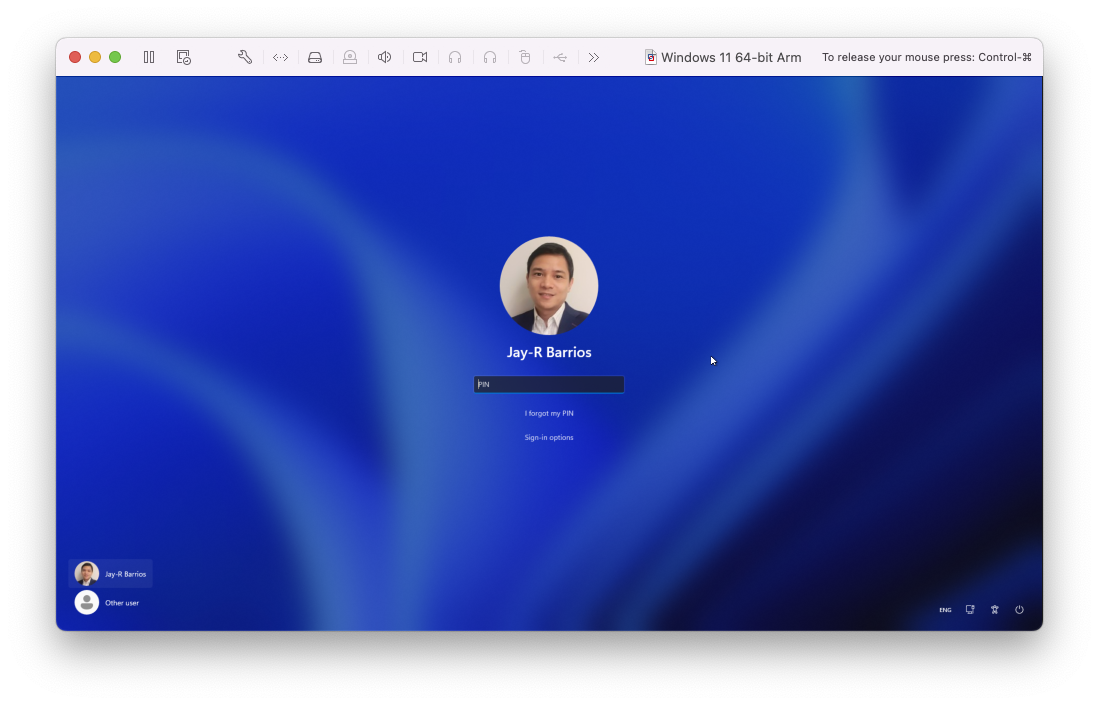
Why Make the Switch Now?
While Windows has long been a reliable platform, Apple’s latest MacBook Pro M4 offers compelling advantages that are hard to ignore:
- Performance & Efficiency: The M4 chip delivers optimized speed and power efficiency, making workflows incredibly smooth.
- Superior Build & Longevity: Apple’s hardware is crafted to last, with exceptional design and reliability.
- Seamless Ecosystem Integration: If you own an iPhone or iPad, macOS syncs effortlessly via AirDrop, iCloud, and Handoff.
- Security & Stability: macOS minimizes security risks and offers a distraction-free, refined computing experience.
Balancing Windows & macOS with VMware Fusion
One of the biggest concerns when switching to macOS is software compatibility, especially for my day-to-day applications, fortunately those are also available for macOS. Whether it’s enterprise applications, automation scripts, or IT management tools, I don’t have to abandon my Windows expertise—I simply expand my skill set.
Jumping into macOS Device Management in Microsoft Intune
Beyond personal use, switching to macOS is invaluable for any EUC consultant. With organizations increasingly adopting Apple devices, knowing how to manage macOS in Microsoft Intune is a critical skill. From enrollment and compliance policies to software deployment and security settings, gaining firsthand experience on a Mac allows me to explore the device management solutions for both Windows and Apple ecosystems. The transition isn’t just about new hardware—it’s about jumping into multi-platform IT expertise and broadening my technical capabilities.
Utilizing Microsoft 365 on macOS
Despite moving to macOS, I’m still able to fully leverage my Microsoft 365 productivity apps like Word, PowerPoint, OneNote, and Outlook, with Copilot running seamlessly on macOS, ensuring that my workflow remains uninterrupted. Whether drafting documents, building presentations, managing emails, or using AI-powered assistance with Copilot, the transition to macOS doesn’t mean leaving behind the familiar tools that drive productivity. Instead, it enhances flexibility by allowing me to work across both platform effortlessly.
Final Thoughts: An Essential Learning Curve
After 27 years on Windows, transitioning to macOS felt like a bold leap—but the ability to continue using familiar Microsoft productivity tools while embracing a new OS’s unique challenges has turned this move into a strategic advantage. Not only do I gain the best of both ecosystems, but I also broaden my expertise in modern device management, an increasingly critical skill in enterprise IT.
For those considering the transition, it’s more than just changing your daily device and operating system—it’s an opportunity to embrace adaptability and drive technical growth in an ever-evolving IT landscape.



 LABDEMO
Discussion
No comments yet.